Transit Trip Management and GTFS Integration
Real-Time Vehicle Data That Powers Every Display and Announcement
Your riders check departure boards, listen for platform announcements, and plan transfers based on arrival times. When that information is wrong—because a vehicle is delayed, a platform changed, or a feed dropped—they miss connections and lose trust. Transit CX pulls schedule and real-time data from GTFS, signaling systems, and GPS into one place, then pushes accurate information to every display and speaker across your network automatically.
Why This Matters
One data source powers everything
Displays, announcements, and third-party journey planners update from the same trip data
Staff adjust service in real time
Delays, platform switches, cancellations reflect instantly across all channels
Works with or without GTFS
Connect your feeds or build routes manually for special operations


GTFS Integration That Connects Schedules to Live Vehicle Data
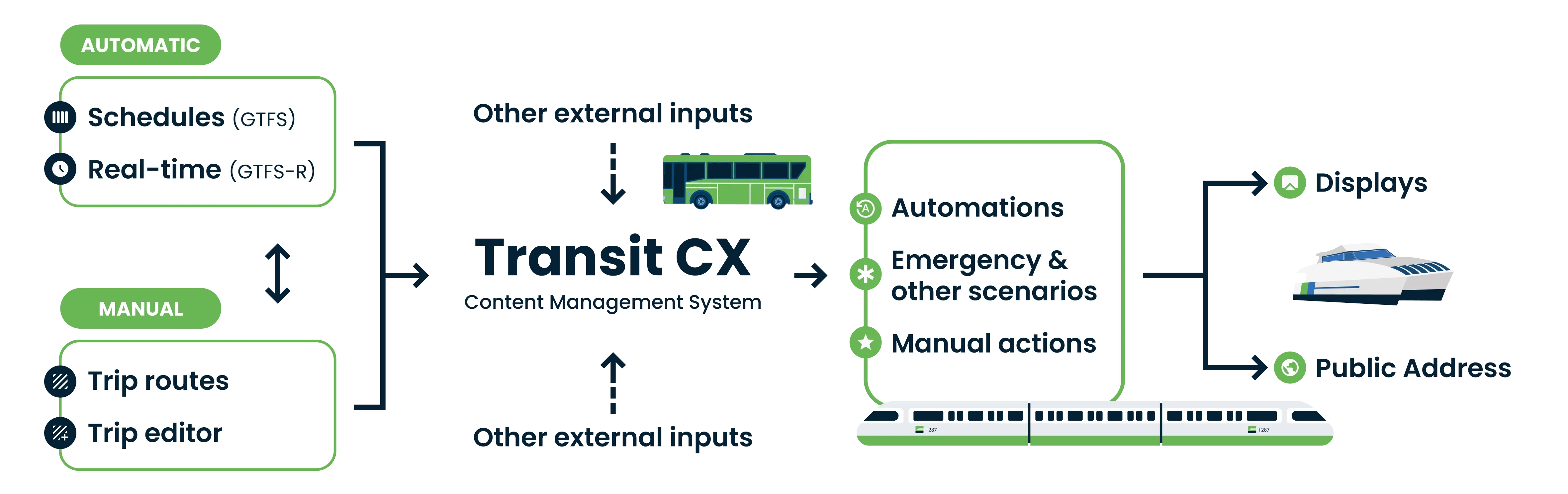
Transit CX uses GTFS for schedules and GTFS-Realtime for live updates. Your passenger information stays accurate because it's connected to where vehicles actually are—not just where the timetable says they should be.

Static GTFS - The Schedule Foundation
GTFS static feeds provide the schedule backbone your passenger information system needs.

GTFS-Realtime - Live Data That Overrides the Plan
When vehicles deviate from schedule, real-time feeds override static data across all channels.

No GTFS Feed? Build Routes Manually
Not every service runs on GTFS. Concert shuttles, seasonal routes, emergency reroutes, and trial services need passenger information too. Transit CX lets you create routes from scratch—select stations, set travel times, define service patterns, and schedule trips without any external data integration.
This is how operators handle special events, holiday service, emergency reroutes during track work, and pilot programs for new routes before committing to scheduling system integration.
Additional Data Sources Beyond GTFS
Not every transit operation relies solely on GTFS. Transit CX also accepts data from signaling systems, ATS (Automatic Train Supervision), vehicle GPS, and custom third-party integrations. Currently processing multi-source data at Jakarta LRT across 3 lines.

Keep Passenger Information Accurate When Plans Change
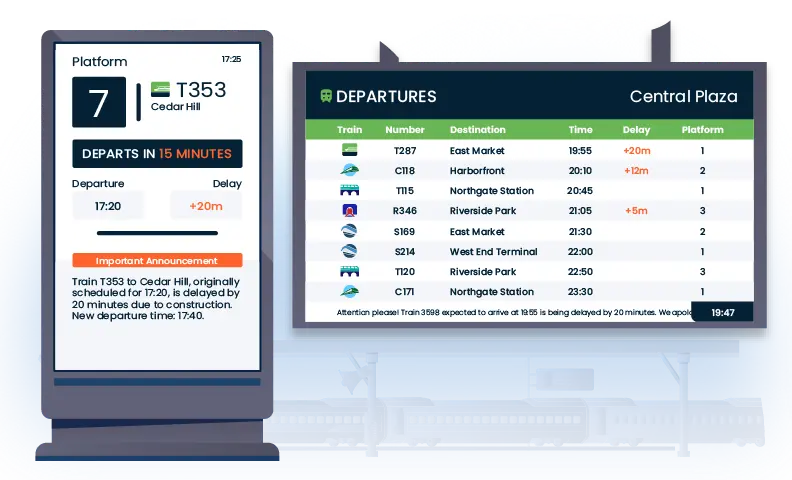
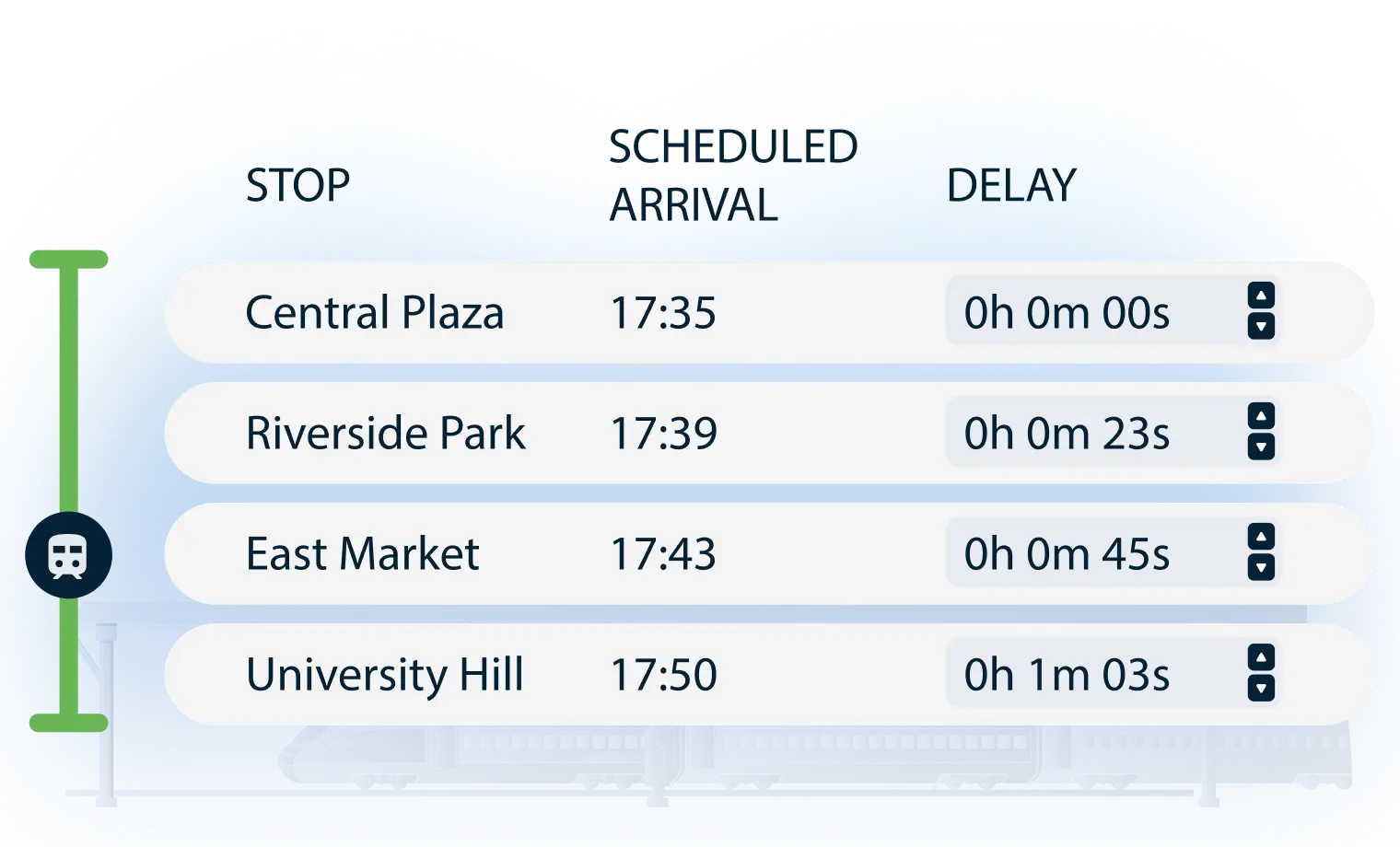
Adjust estimated arrival and departure times by updating delay times or change dwell times for trains at each station to better align with real-time needs.
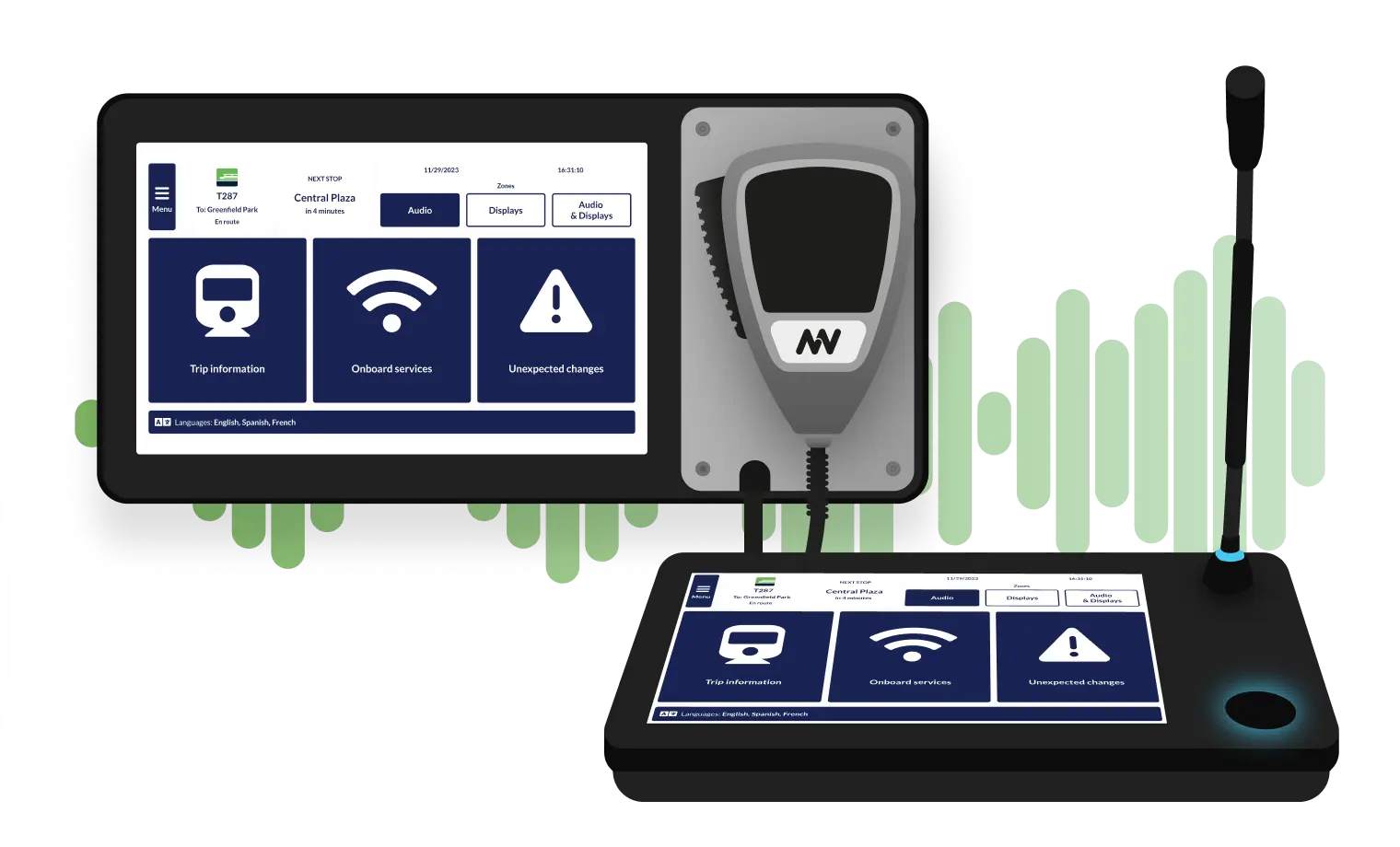
You can easily switch platforms, designate a train as non-stopping, set on-request stops, or even cancel a train’s journey from a specific station to the end of the line - all with just a few clicks.
Trip Data Triggers Automation Across Your Network
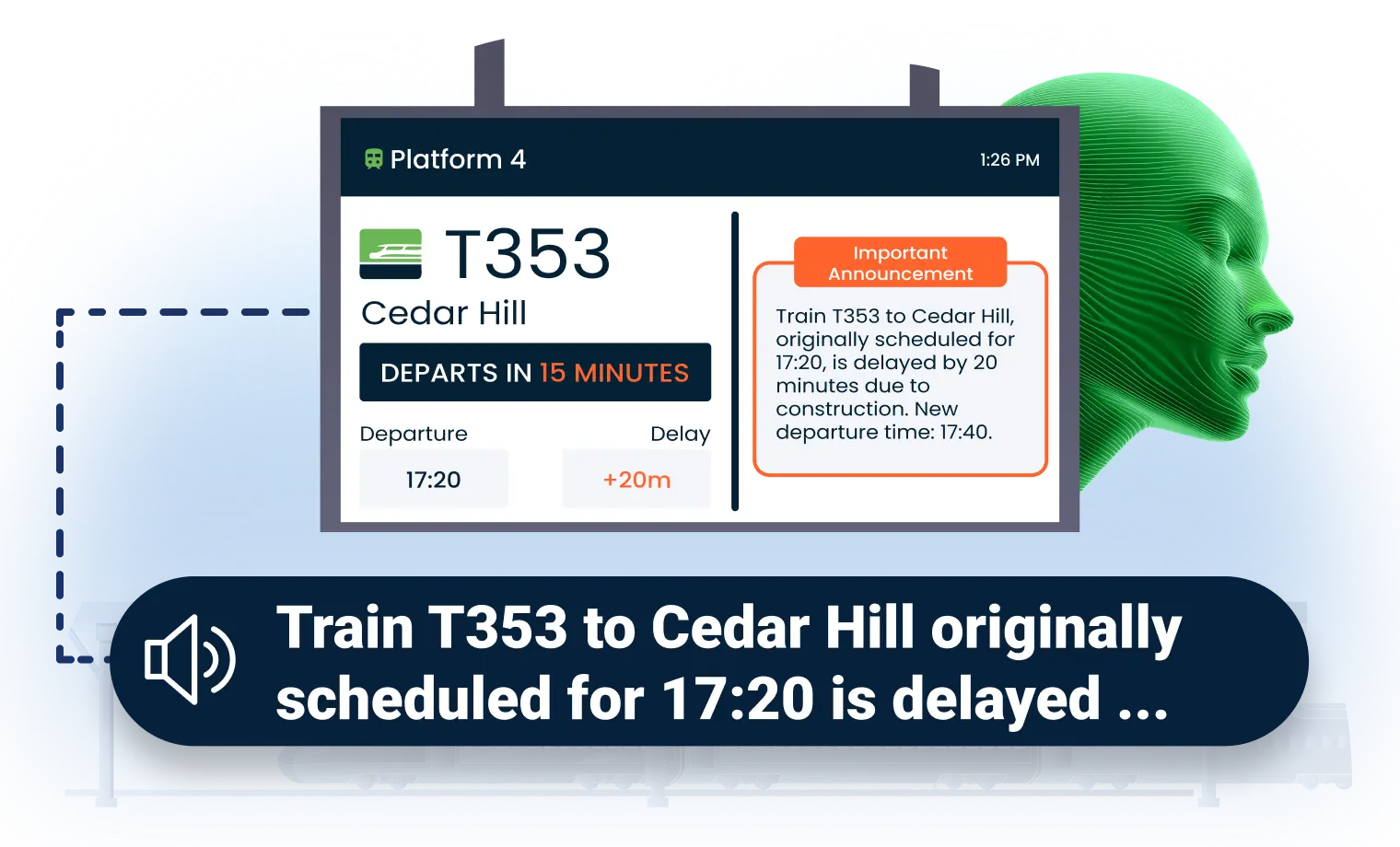
Business rules monitor trip data and execute responses automatically. Configure triggers based on schedule adherence, vehicle proximity, or service alerts. When conditions are met, Transit CX populates announcement templates and display content with current route numbers, destinations, platform assignments, and arrival predictions—no staff intervention required for routine updates.
The result: your team manages exceptions and disruptions while automation handles the predictable operations that make up 90% of your daily announcements.

Manage Buses, Trains, and Ferries From One Interface
Transit hubs and regional networks serve multiple transportation types simultaneously. Transit CX integrates schedule and position data from buses, ferries, and regional rail into one system. Operations staff manage all modes through a single login—no switching between vendor platforms.
Currently serving multi-modal networks including Wellington Railway Station and Auckland Transport.
Buses

Trains

Ferries
How Transit Operators Benefit from Transit CX Data Integration
Transit CX connects schedule data and live vehicle positions to every display and speaker across your network, so passenger information stays accurate however your operation runs.
Live and Static GTFS
Static feeds handle schedules. GTFS-Realtime overrides with live positions, delays and service alerts.
Multi-Mode, One Interface
Buses, trains and ferries managed through a single login across your entire network.

Manual Route Building
Build routes from scratch for special events, seasonal services or emergency reroutes without external feeds.
Automated Exception Control
Business rules handle routine operations automatically so staff can handle disruptions.
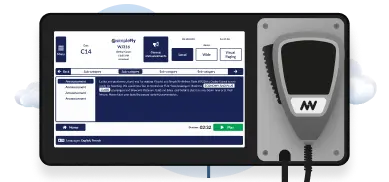
Synchronized Audio & Visual
Manage and Deliver Data Your Passengers Can Rely On
.webp)
Frequently Asked Question
Got questions? We’ve got answers.
Both - and more. Transit CX imports GTFS static feeds for schedules and GTFS-Realtime for live vehicle updates. We also integrate signaling systems, ATS (Automatic Train Supervision), and vehicle GPS for enhanced tracking capabilities. For services without any data feed - concert shuttles, seasonal routes, emergency reroutes, trial services - you build routes manually: select stations, set travel times, define service patterns, and schedule trips without external integration.
GTFS-Realtime feeds override static schedules with actual vehicle positions and delay predictions. When a train runs 4 minutes late, arrival predictions on displays and announcement templates update automatically across every station on the route. Passengers get information based on where vehicles actually are, not where the timetable says they should be.
Yes. Transit CX also accepts data from signaling systems, ATS (Automatic Train Supervision), vehicle GPS, and custom third-party integrations. The integration platform connects to your existing systems regardless of whether they output standard GTFS or proprietary formats.
When changes aren't in the GTFS feed, operations staff adjust manually - update arrival and departure times, switch platforms, designate trains as non-stopping, set on-request stops, or cancel services from a specific station onward, all with a few clicks. Changes propagate instantly to every display and announcement across the affected route. Business rules can also trigger automated responses when schedule adherence drops below thresholds.
Yes. Transit CX integrates schedule and position data from buses, trains, ferries, and regional rail into one system. Operations staff manage all transport modes through a single interface - no switching between vendor platforms. Currently serving multi-modal networks including Auckland Transport's combined train and ferry service.
Business rules monitor trip data and execute responses automatically. When a vehicle arrives, departure boards update and arrival announcements play without staff intervention. When schedule adherence drops, delay notifications trigger across affected stations. Your team manages exceptions and disruptions while automation handles the 90% of predictable daily operations.